Tips & Tricks
Tips & Tricks
-
 Tips & Tricks
How to download the official Surface Laptop 3 recovery image
-
Tips & Tricks
How to download and install the latest Surface Pro 7 drivers and firmware updates
-
Tips & Tricks
How to download the official Surface Pro 7 recovery image
-
Brightness Issue
How to fix brightness issue on Surface Laptop 3?
-
Tips & Tricks
How to disable secure boot on Microsoft Surface Laptop
-
Tips & Tricks
How to Disable Secure Boot on Surface Pro 4-7
-
Tips & Tricks
Here’s how to disable secure boot on Microsoft Surface Go
-
Tips & Tricks
Here’s how to disable secure boot on Microsoft Surface Book
-
Tips & Tricks
How to Disable Intel Turbo Boost on Microsoft Surface
-
Surface Mobile Mouse
How to configure Surface Mobile Mouse with Microsoft Mouse and Keyboard Center
-
Surface Mobile Mouse
How to replace Microsoft Surface Mobile Mouse Batteries
-
Tips & Tricks
How to connect a Surface Mobile Mouse to your computer
-
Tips & Tricks
How to disable the discrete GPU on Microsoft Surface Book
-
Surface Arc Mouse
How to configure Surface Arc Mouse with Microsoft Mouse and Keyboard Center
-
Tips & Tricks
How to download and install the Microsoft Mouse and Keyboard Center
-
Surface Arc Mouse
How to replace Surface Arc Mouse Batteries
-
Tips & Tricks
How to connect a Surface Arc Mouse to your Computer
-
PD Charging Test
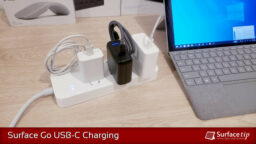
Surface Go USB-C Charging: We tested 3 USB-C PD chargers for comparison
-
Capture the Screen
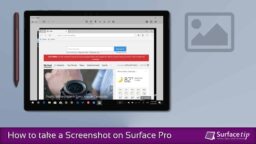
The 6 easy ways to take a screenshot on Surface Pro
-
Tips & Tricks
How to screenshot on Surface Laptop
-
Tips & Tricks
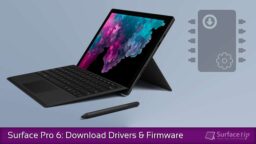
How to download and install the latest Surface Pro 6 drivers and firmware updates
-
Tips & Tricks
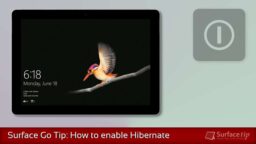
How to enable Hibernation on Surface Go
-
Tips & Tricks
How to download and install the latest Surface Go 1-3 drivers and firmware updates
-
Tips & Tricks
How to screenshot on Surface Go