Troubleshooting
Troubleshooting
-
 Troubleshooting
How to Fix Battery Icon Not Showing in the Taskbar
-
Troubleshooting
How to Fix Surface Dock Not Detecting External Monitors
-
Troubleshooting
How to Fix Rotation Lock Bug on Surface Tablet and 2-in-1 Laptop
-
Flickering Display
How to Troubleshoot Flickering Display on Docking Station
-
Slow Virtual Desktops
How to fix laggy virtual desktops switching on Windows 11
-
Troubleshooting
How to Fix a Surface Book That Won’t Turn On
-
Troubleshooting
How to Fix Surface Go That Won’t Turn On or Wake Up
-
Dead Surface Laptop
Surface Laptop Won’t Turn On? Try These 6 Easy Fixes
-
Surface Pro Death?
Surface Pro Won’t Turn On: Fixes and Troubleshooting Guides
-
The Red Bar
How to Get Rid of Red Bar with Unlocked Lock Icon from Surface Boot Screen
-
Surface Precision Mouse
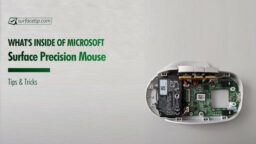
What’s Inside a Microsoft Surface Precision Mouse
-
Boot from USB
How to Boot Surface Pro From a USB Drive
-
Surface Laptop UEFI
How to Configure Surface Laptop UEFI/BIOS Settings
-
Brightness Issue
How to fix brightness issue on Surface Laptop 3?
-
Surface Go UEFI
How to configure Surface Go UEFI/BIOS settings
-
Troubleshooting
How to Fix Errors on Surface Book Running Windows 10 Spring Creators Update
-
Reset Your Surface
How to Reset Your Surface Using USB Recovery Drive
-
Surface 3 UEFI
How to Configure Surface 3 UEFI/BIOS Settings
-
Surface Book UEFI
How to Configure Surface Book UEFI/BIOS Settings
-
Surface Pro UEFI
How to Configure Surface Pro UEFI/BIOS Settings
-
Surface Pen
How to Troubleshoot Surface 3 Pen or Surface Pro 3 Pen
-
Tips & Tricks
How to fix Surface RT/2 or Surface Pro/2 phantom touch or ghost touch
-
Surface Pro 4 UEFI
How to Configure Surface Pro 4 UEFI/BIOS Settings
-
Surface Pro 3 UEFI
How to Configure Surface Pro 3 UEFI/BIOS Settings