Question1
Can you upgrade memory (RAM) on the 2021 Microsoft Surface Pro 8?
Answer
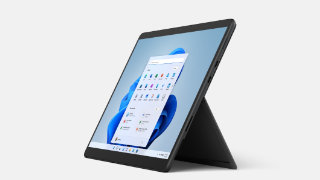
No, you can’t! all Surface Pro 8 models come with onboard dual-channel 4267 MHz LPDDR4x memory and there is no additional RAM slot for expansion. So make sure you purchase a Surface Pro 8 model with the right amount of memory (8GB, 16GB, and 32GB).

Source: Microsoft Mechanics
Related Questions
For more questions and answers about Surface Pro 8, visit the following resources:
- Can you upgrade Surface Pro 8 SSD?
- Does Surface Pro 8 have 4G LTE or 5G cellular connection?
- Does Surface Pro 8 Have a Headphone Jack?
- Does Surface Pro 8 have HDMI port?
- Does Surface Pro 8 have SD Card Slot?
- Does Surface Pro 8 have USB-A port?
- Does Surface Pro 8 have USB-C port?
- Does Surface Pro 8 support Wi-Fi 6?
- What’s ports on Microsoft Surface Pro 8?
More on Surface Pro 8
For more helpful tips about Surface Pro 8, visit the following resources:
- Best Cases and Covers for Microsoft Surface Pro 8 in 2024
- Best Screen Protectors for Surface Pro 8-11/X in 2024
- Surface Pro 8 specs, features, and tips
- The 3 easy ways to adjust screen brightness on Surface Pro
- The 6 easy ways to take a screenshot on Surface Pro
- How to Download Microsoft Surface Drivers and Firmware



COMMENTS
Let us know what you think!
We appreciate hearing your thoughts, questions, and ideas about “Can you upgrade RAM on Surface Pro 8?”.