Find out if the Surface Go has an HDMI port and learn how to connect it to an HDMI display with a USB-C adapter.
Recent Articles
Can you replace SSD or UFS drive on Surface Go 4?

In this FAQ, you will get to know whether you are able to replace or upgrade the SSD on a Surface Go 4 device or not.
Surface Go 4 specs, features, and tips
The new Surface Go 4 performs 80% faster than its predecessor with a 12th Gen Intel processor, 4800MHz LPDDR5 memory, 12.5-hour battery life, UFS storage, and better repairability.
Surface Laptop Go 3 specs, features, and tips
Surface Laptop Go 3 comes with 12th Gen Intel Alder Lake Core i5, LPDDR5 memory, 15-hour battery life, improved mics with voice clarity, a UFS storage option, and more.
Surface Laptop Studio 2 specs, features, and tips
Meet the new Surface Laptop Studio 2, launched on September 22, 2023, with twice faster performance, a new AI chip, more ports, and more.
Microsoft Surface Pro 3 Pen
Microsoft Surface Pro Pen is the first-generation Surface Pen introduced on June 18, 2012, and shipped with the original Surface Pro and Surface Pro 2.
Microsoft Surface Pro Pen
Microsoft Surface Pro Pen is the first-generation Surface Pen introduced on June 18, 2012, and shipped with the original Surface Pro and Surface Pro 2.
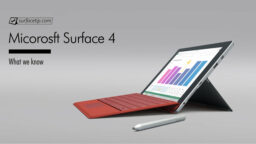
Microsoft Surface 4
Microsoft Surface 4 is supposed to be the fourth generation of the regular Surface line as the direct successor to the 2015 Surface 3. The tablet should have shipped with Windows 10 and the features you found on Surface Pro 4.
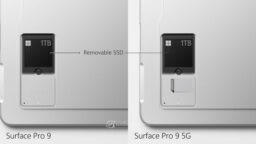
Can you upgrade Surface Pro 9 SSD?
This post will let you know whether you can upgrade or replace the Solid State Drive or SSD on Surface Pro 9.
How to fix laggy virtual desktops switching on Windows 11
In this article, we will walk you through how to fix the laggy issues when switching between virtual desktops on Surface devices running Windows 11.
Best Chargers for Microsoft Surface
Here is our charger buying guide for Microsoft Surface to help you find the right one with a right design, charging speed, and interface.
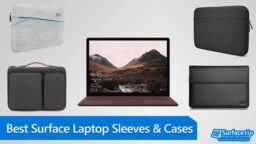
Best Cases and Covers for Microsoft Surface Laptop
Protect your 13-inch or 15-inch Surface Laptop with one of the top cases and sleeves that can protect them from scratches, bumps, and drops.